 CertaShot for Windows
Installing CertaShot on Windows
It takes about a minute. CertaShot is new, so your browser and Windows don't recognise it yet and will show a couple of warnings. This is normal for new apps, and you only do it once.
Save the file (Microsoft Edge)
- Click the download link. A Downloads box opens in the top right corner and says "CertaShot.exe isn't commonly downloaded." Move your mouse over it and click the three dots (…).
Don't see the box? Press Ctrl + J.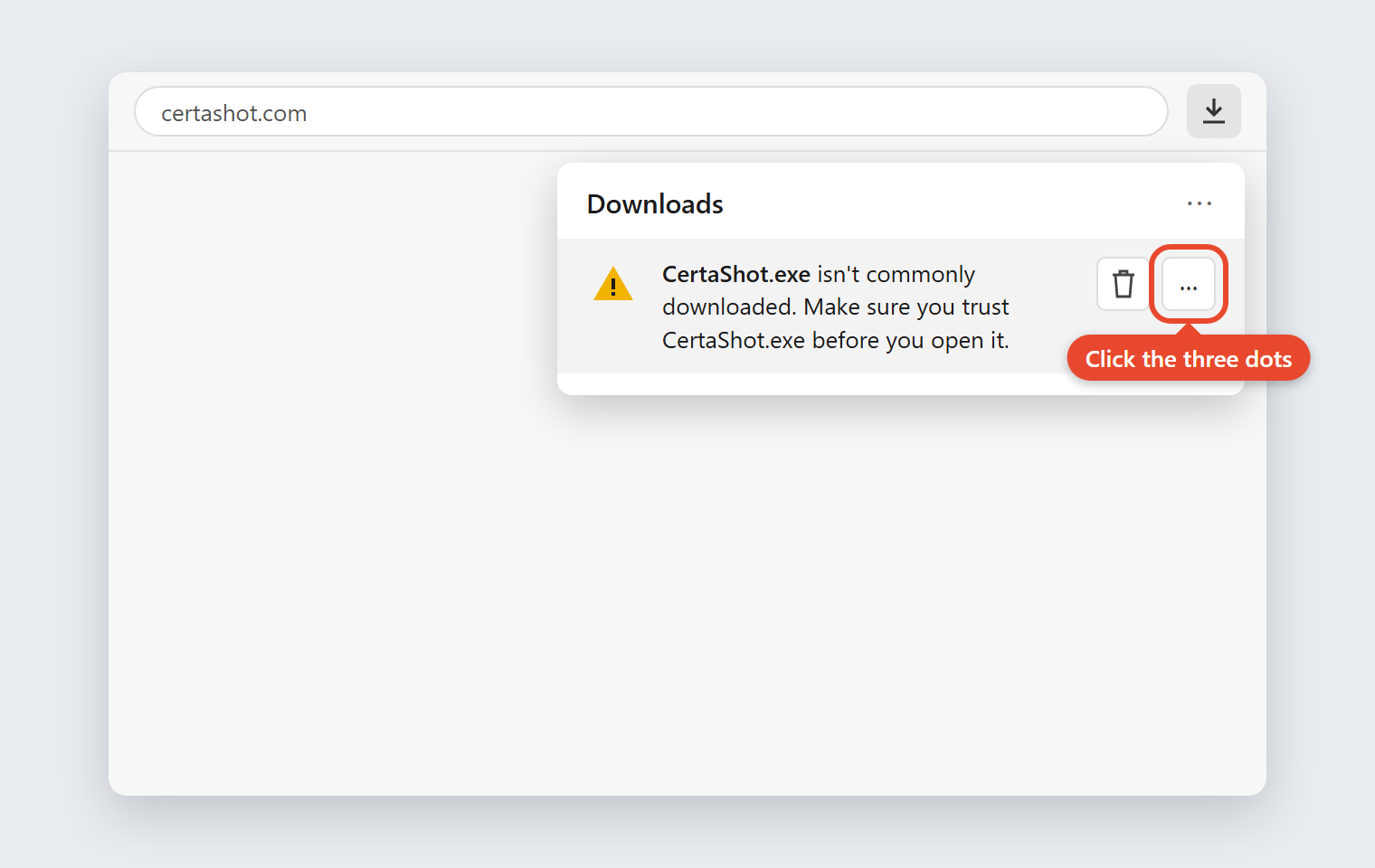
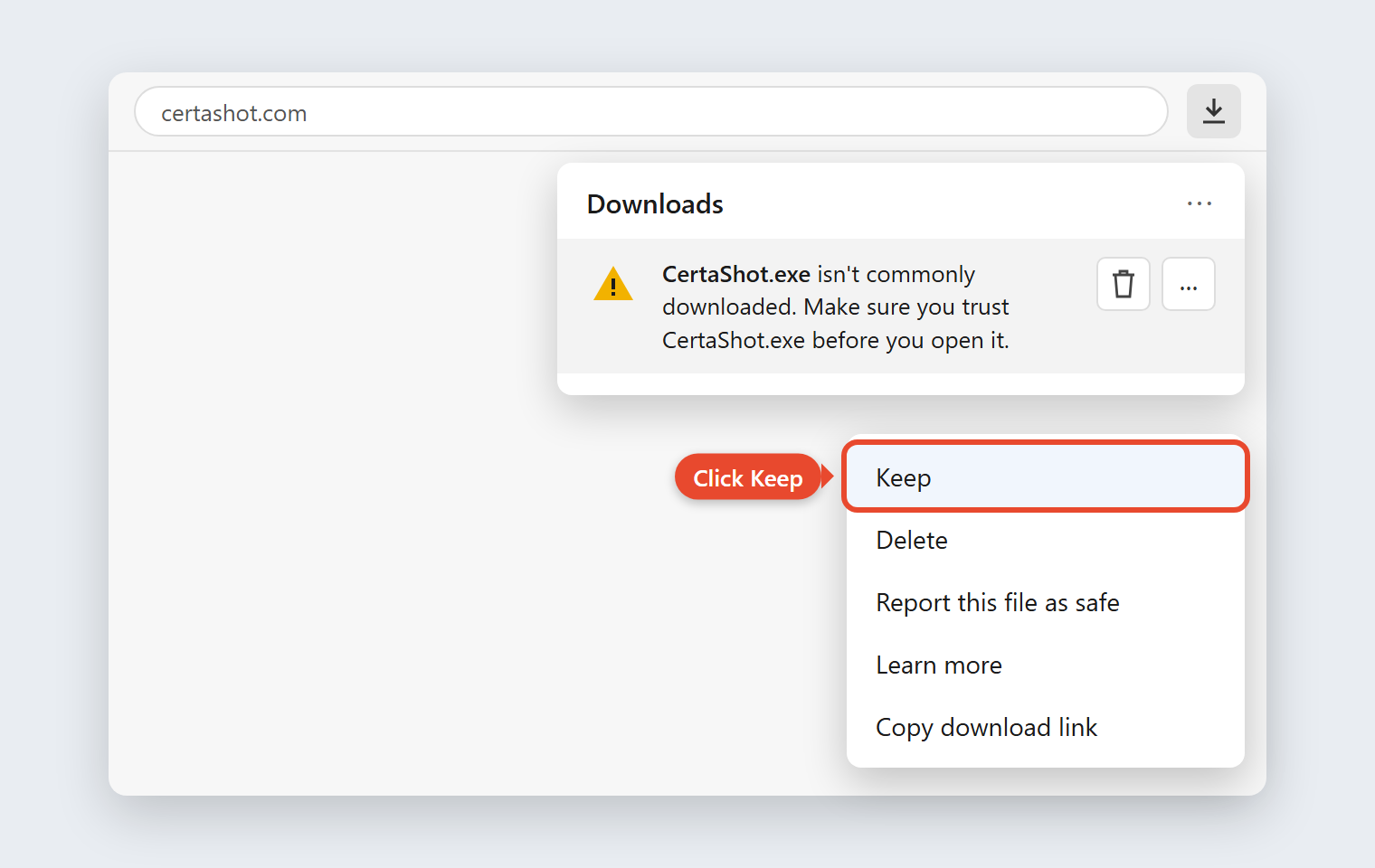
- In the menu that opens, click Keep.
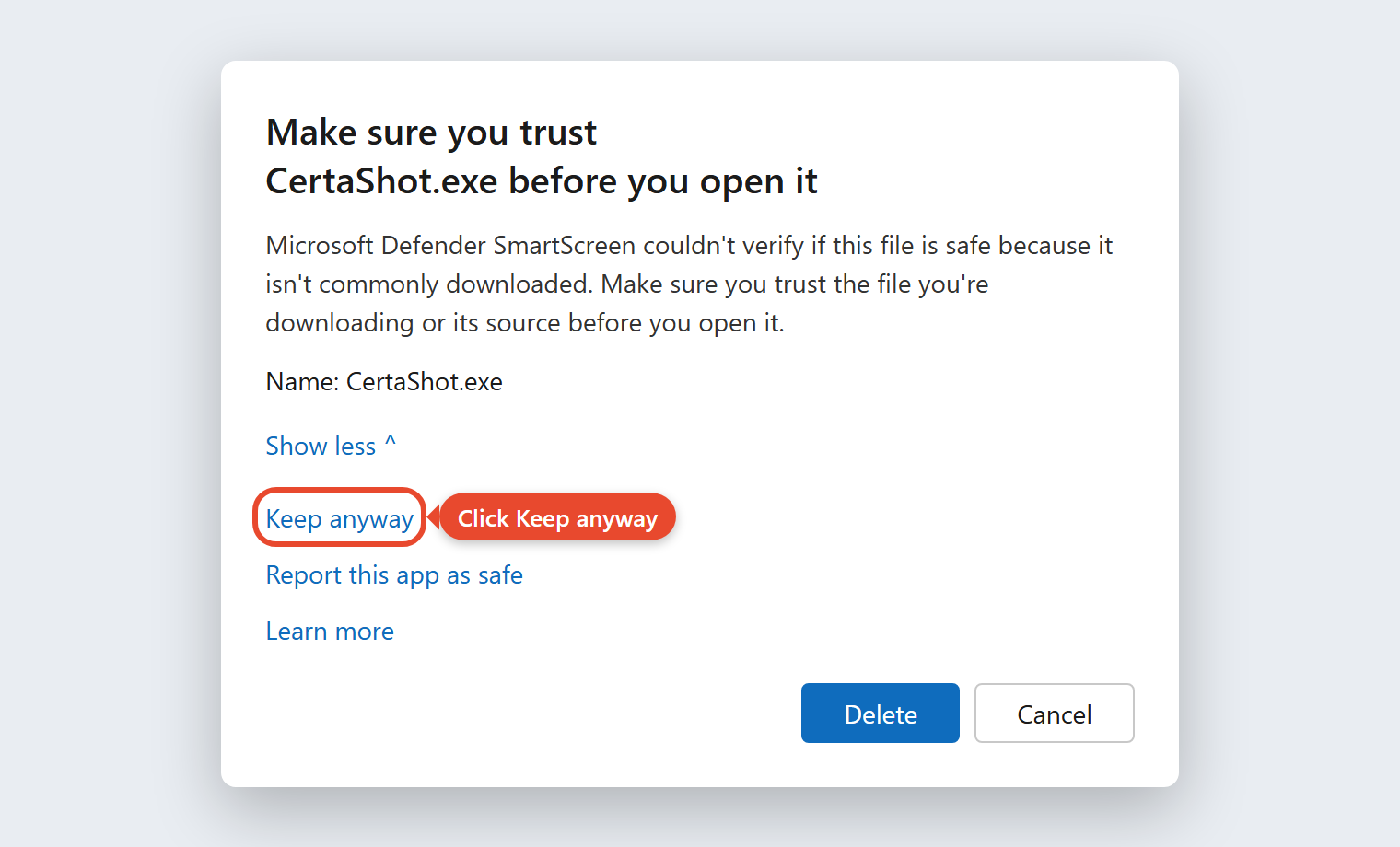
- A box appears: "Make sure you trust CertaShot.exe before you open it." Click Show more. Don't click Delete.
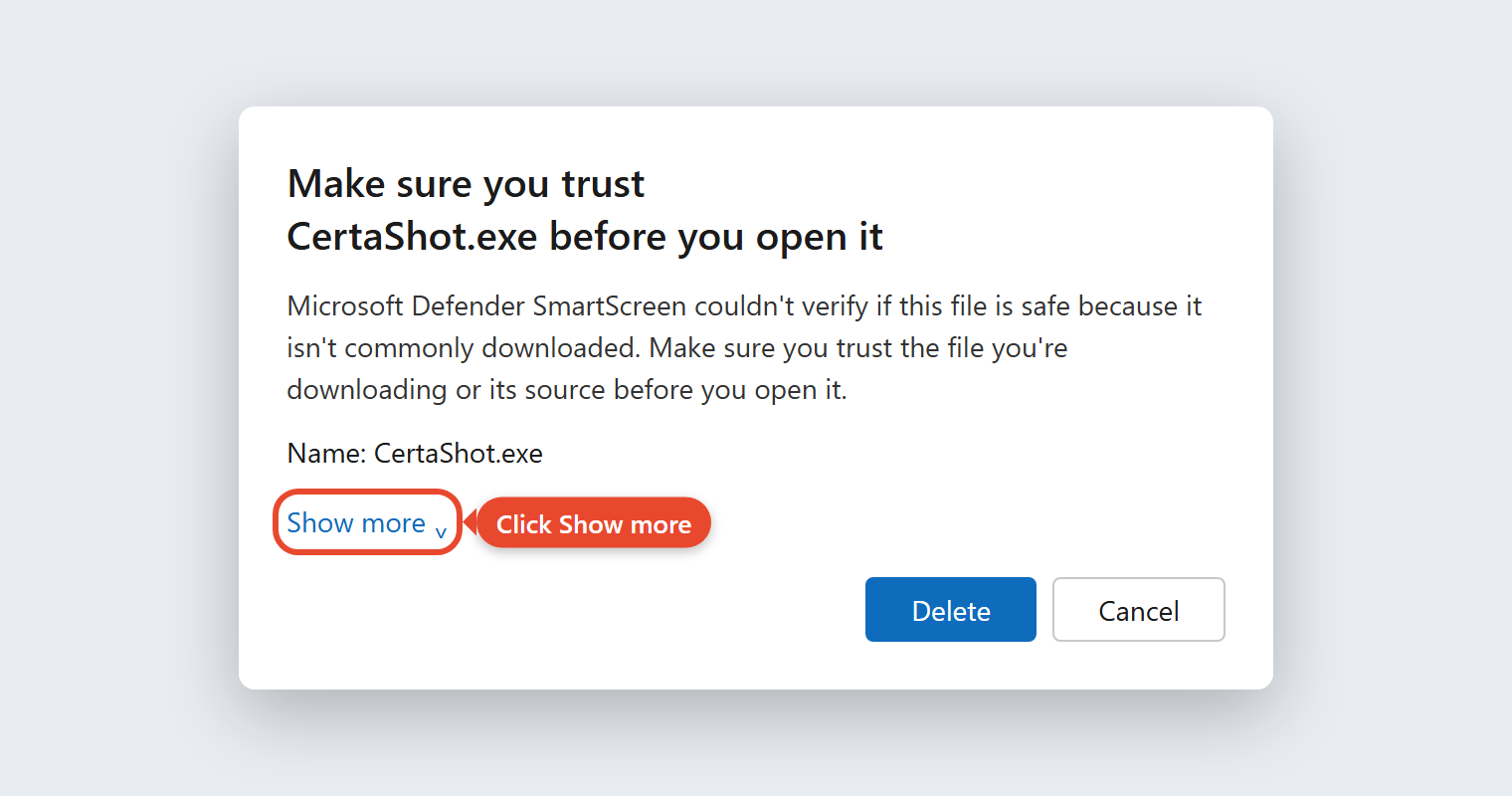
- Click Keep anyway. CertaShot is now saved in your Downloads folder.
Using Google Chrome instead?
- Press Ctrl + J to open your downloads.
- Find CertaShot.exe and click the warning or the arrow next to it.
- Choose the option to keep the file. Depending on your Chrome version it says Keep, Download unverified file or Download suspicious file.
Then continue with Part 2 below.
Open CertaShot
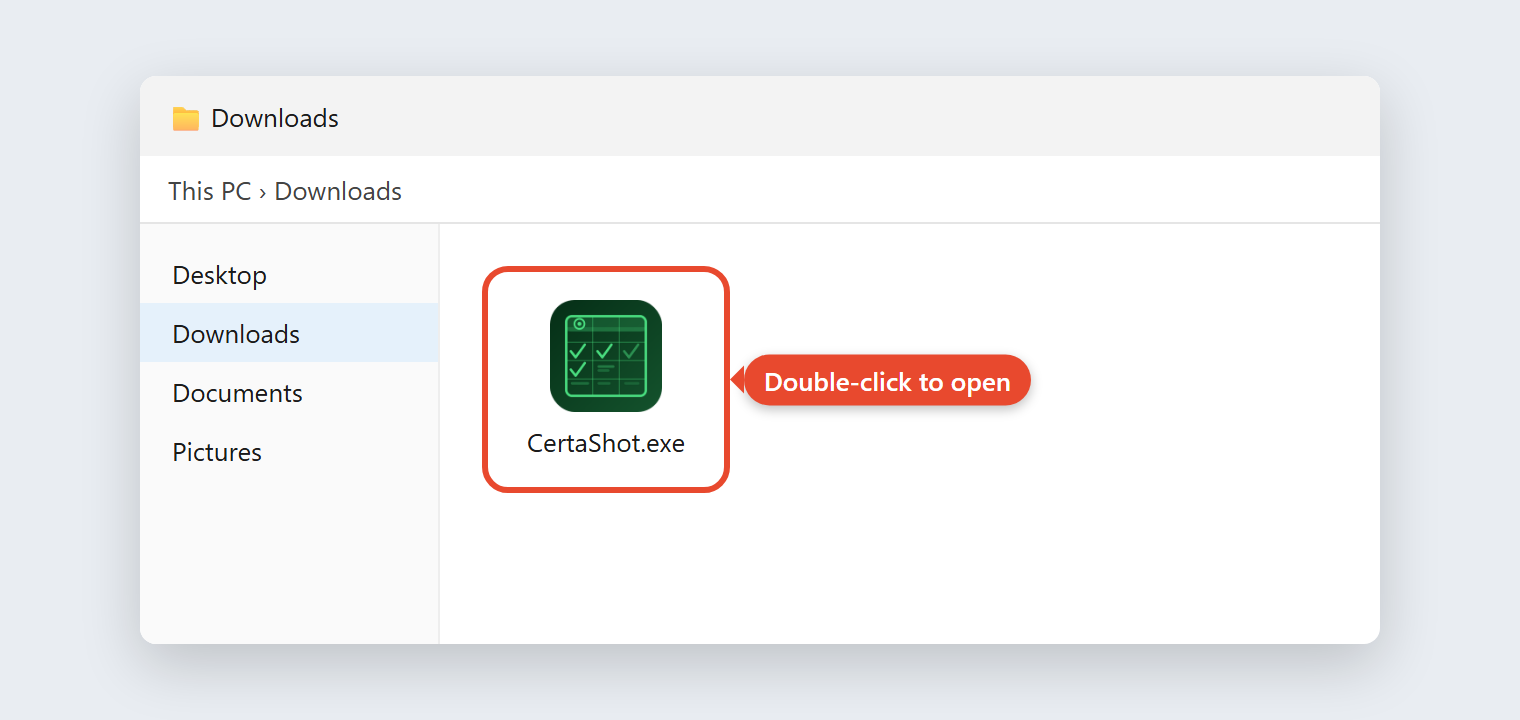
- Open your Downloads folder and double-click CertaShot.exe.
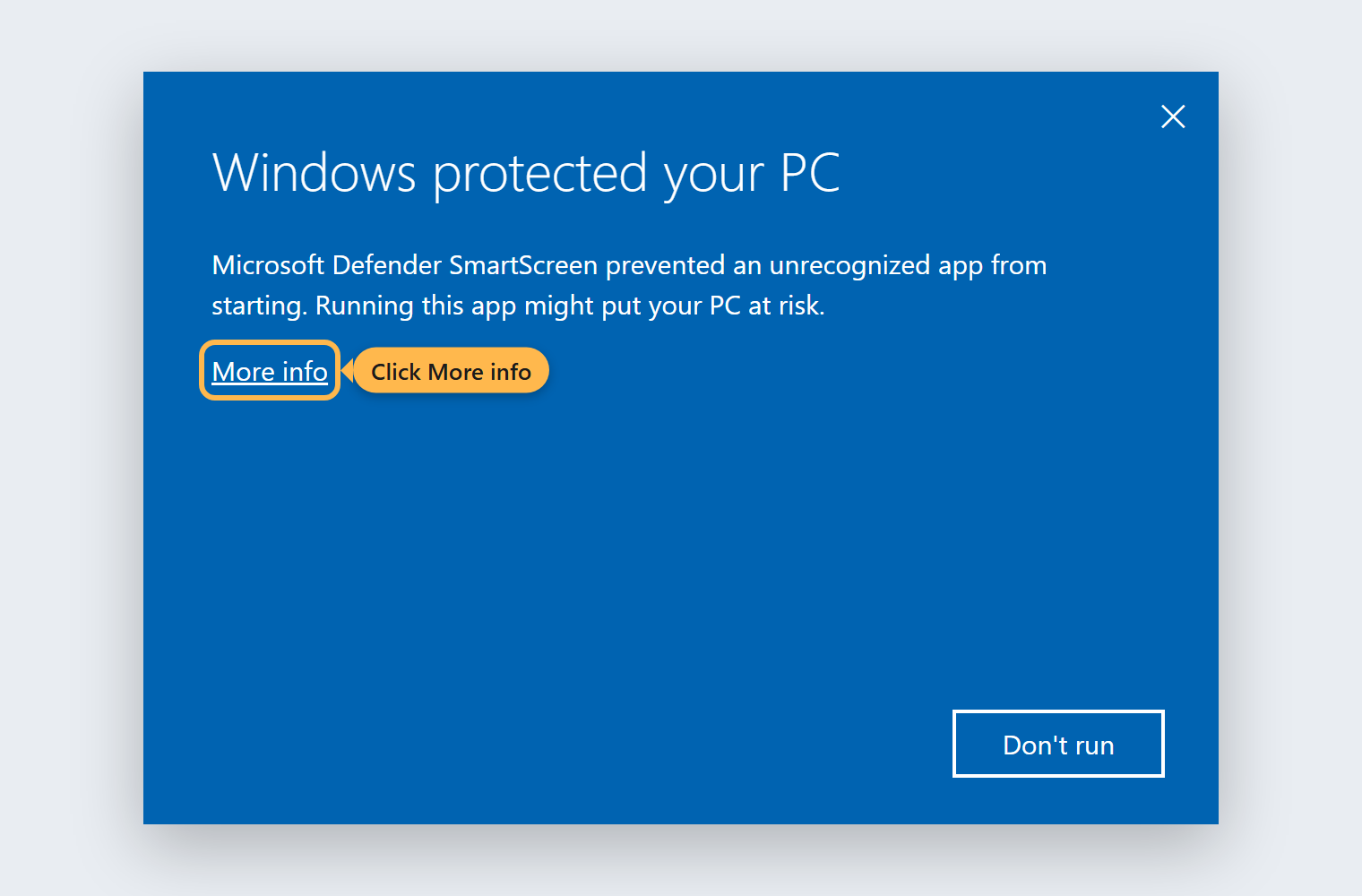
- A blue box says "Windows protected your PC." Click the small More info link under the text. Don't click "Don't run".
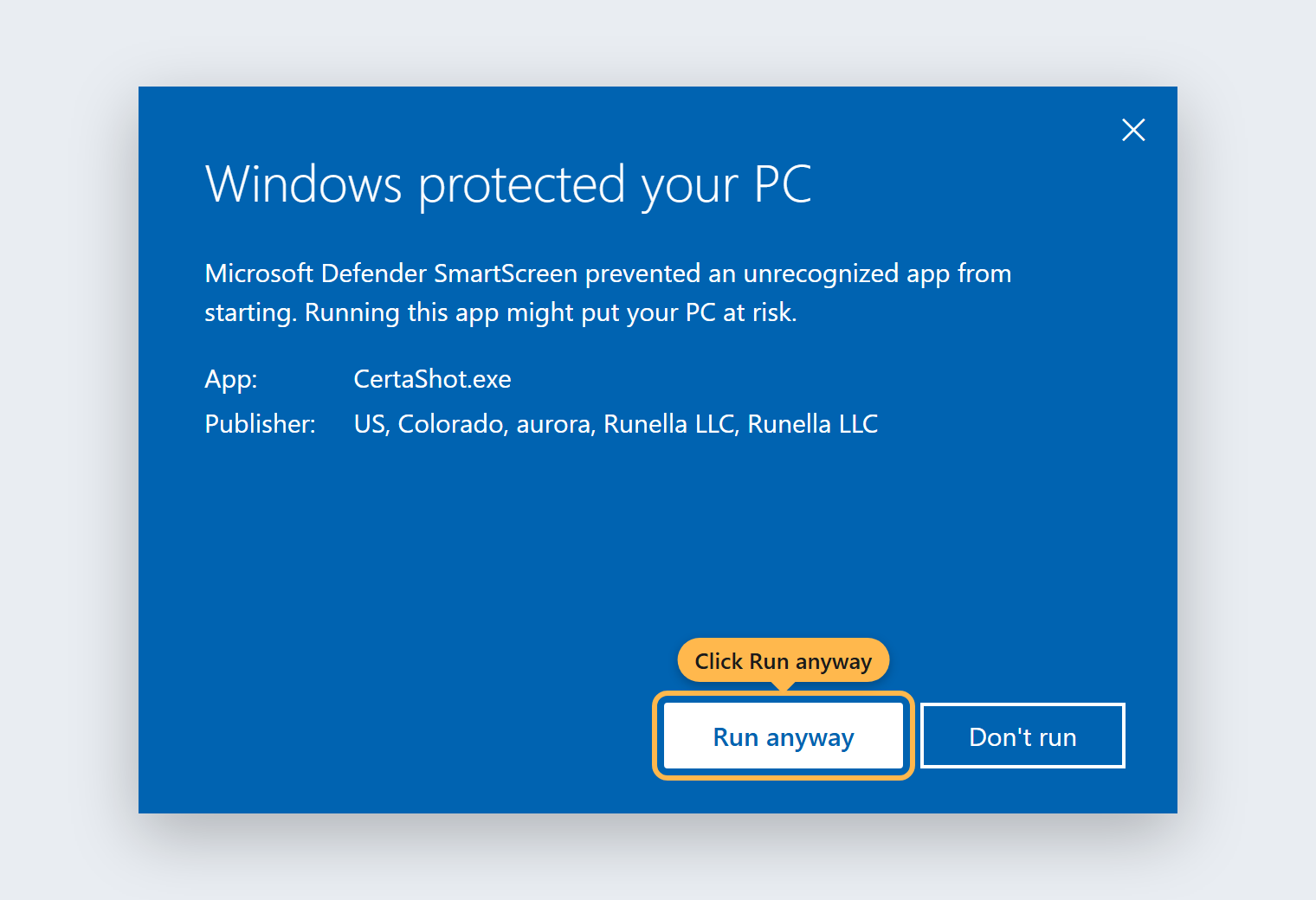
- A Run anyway button appears at the bottom. Click it. The publisher line shows Runella LLC, the company behind CertaShot.
That's it
CertaShot opens. From now on it starts without warnings.
Tip: move CertaShot.exe from Downloads to your Desktop or Documents so it doesn't get deleted when you clean up Downloads.
The pictures show what to click. Your screen may look slightly different depending on your Windows and browser version, but the button names are the same.
Questions
Why does my computer warn me about CertaShot?
Windows and browsers warn about any app that hasn't been downloaded by many people yet. It says nothing about what the app does. CertaShot is digitally signed by Runella LLC, and the warnings go away on their own as more people install it.
Will I see these warnings every time?
No. Once you click Run anyway, Windows remembers your choice for this copy of CertaShot. You may see them again once when you download a new version.
My work computer won't let me click Run anyway
Some company computers block apps that aren't on an approved list. Ask your IT team to allow CertaShot, or email us and we'll help.